
Alarm: The Cookie Thief!
Your programs already know how to repeat and react to sensors, so now let's teach them to make decisions! How can a program decide whether an alarm should go off or not? In this mission, you'll become a security agent guarding a very valuable treasure (your cookies!) using the most fundamental tool in programming logic: the 'IF...' conditional. Get ready to watch your code start thinking for itself!

Level Intermediate
What will we do?
Are you a teacher?
Courses
- Grades 6-12
Materials
- Microbit/phone and computer
- Internet connection
- A box with a lid (a shoebox, a cookie tin, etc.)
- A "treasure" to protect inside the box
- Cardboard, scissors and a couple of rubber bands to hold the phone against the cardboard
Description
This activity introduces students to the most fundamental logical structure of all: the "IF... THEN..." conditional. They will build a simple alarm system that makes a decision based on sensor data, running an action only when a specific condition is met. It is the first step from programs that "do" to programs that "think".
Educational Objectives
- Understand the structure and purpose of an "IF... THEN..." conditional.
- Use a logical condition (e.g. "greater than") to evaluate sensor data.
- Create a program that makes a simple decision to trigger a sequence of actions.
- Apply logical thinking to solve a practical problem.
Start (10 minutes) - The Logic of a Decision
- Welcome the class: "Today our programs will take their biggest leap yet: they are going to learn how to think! We are going to build a high-tech alarm to protect a box of cookies."
- Pose a key question: "Think about an automatic door at the supermarket. Is it always open? No. It only opens IF someone walks up to it. That word, 'IF', is the most powerful word in programming. It is the one that lets a program make decisions."
- Explain the concept: "We are going to program our alarm so that it constantly asks itself one question: 'Is the lid tilted?'. IF the answer is yes, the alarm will go off. IF it is no, it will keep watching in silence."
Making Decisions: The 'If...' Block
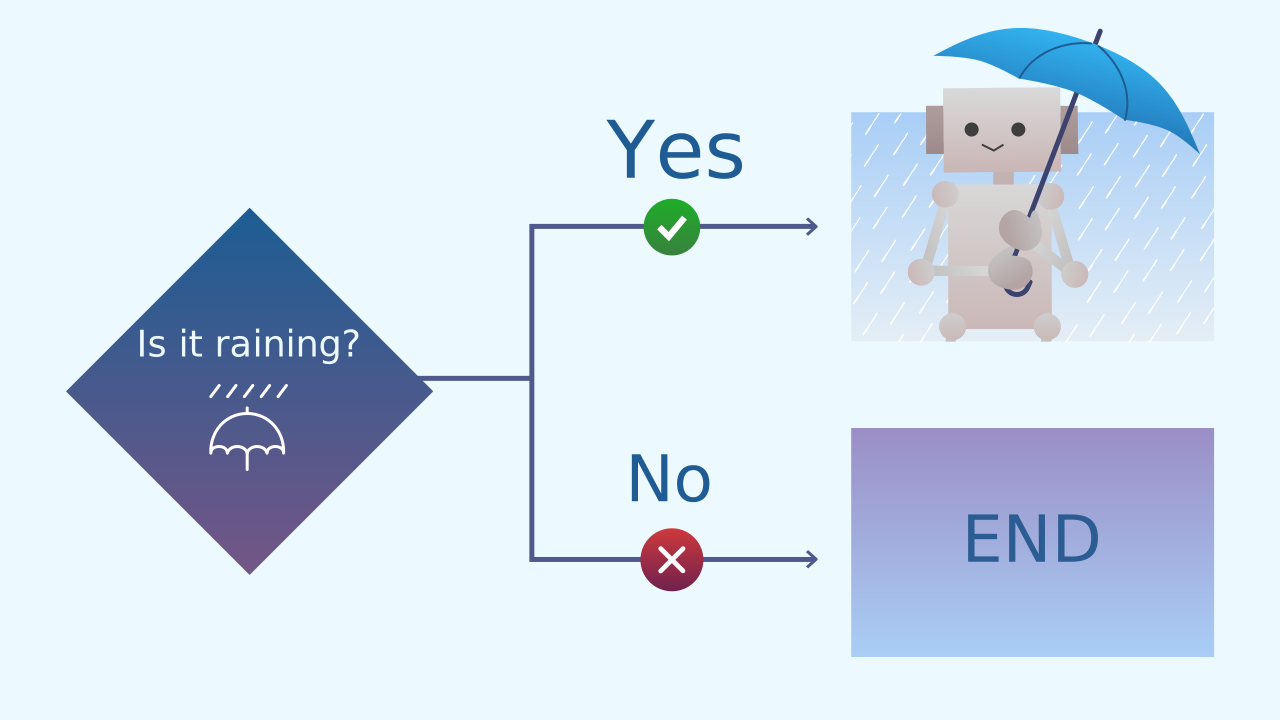
Programs don't only follow lists of orders, they can also make decisions. The main tool for this is the "If..." conditional. It works just like it does in real life: IF it's raining, THEN I grab an umbrella. The program checks a condition. If the condition is true, it runs the code inside. If it's false, it simply skips that code and carries on.
Conditions: True or False Questions
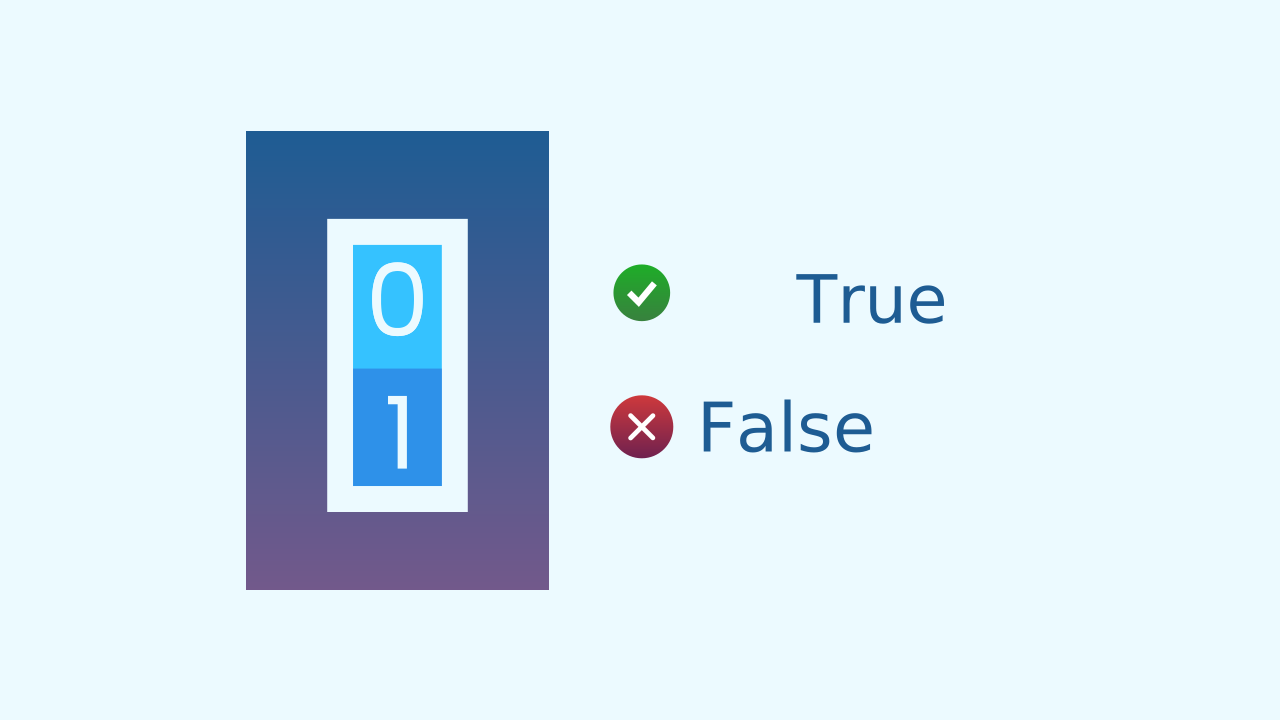
A condition is a question the program asks itself, and the answer can only be TRUE or FALSE. There is nothing in between. For example:
- Is 5 greater than 3? -> TRUE
- Is 10 equal to 2? -> FALSE
- Is the tilt sensor's value greater than 20? -> It can be TRUE or FALSE. This kind of two-option logic is called boolean logic, and it is the foundation of every decision a computer makes.
The Logic of Our Alarm
For our anti-thief alarm, the logic is very clear:
- The Condition (the question): Is the lid of the box (the device) tilted more than 20 degrees?
- If the answer is TRUE: Alert! Someone is opening the box. THEN, trigger the alarm sequence with lights and sound.
- If the answer is FALSE: Everything is fine. Do nothing and keep watching.
Development (20-30 minutes) - Building the Trap
- Now that the students understand the logic of "IF...", it's time to build the security system.
- Lead them through the instructions for setting up their box, using the device as the 'lid', and programming the conditional logic, as detailed below. Encourage them to test how sensitive the alarm is by opening the lid slowly.
Closure (5-10 minutes) - The Brain of the Program
- Once the alarms are working, it's time to reflect on the "brain" they have just built.
- Start the discussion: "Our program can now make a decision. What is the exact 'question' it asks on every turn of the loop? What happens if the answer is 'true'? And what if it is 'false'?" Use the questions in the reflect section to solidify their understanding of conditional logic.
Reflect
You have just programmed your very first decision. What is a conditional, and what is it for?
What is the "condition", the "true or false question", that your program is checking over and over?
The alarm's threshold is set to 20. What would happen if you changed it to 90? Would the alarm be more sensitive or less sensitive?
Making Decisions: The 'If...' Block
Programs don't only follow lists of orders, they can also make decisions. The main tool for this is the "If..." conditional. It works just like it does in real life: IF it's raining, THEN I grab an umbrella. The program checks a condition. If the condition is true, it runs the code inside. If it's false, it simply skips that code and carries on.
Conditions: True or False Questions
A condition is a question the program asks itself, and the answer can only be TRUE or FALSE. There is nothing in between. For example:
- Is 5 greater than 3? -> TRUE
- Is 10 equal to 2? -> FALSE
- Is the tilt sensor's value greater than 20? -> It can be TRUE or FALSE. This kind of two-option logic is called boolean logic, and it is the foundation of every decision a computer makes.
The Logic of Our Alarm
For our anti-thief alarm, the logic is very clear:
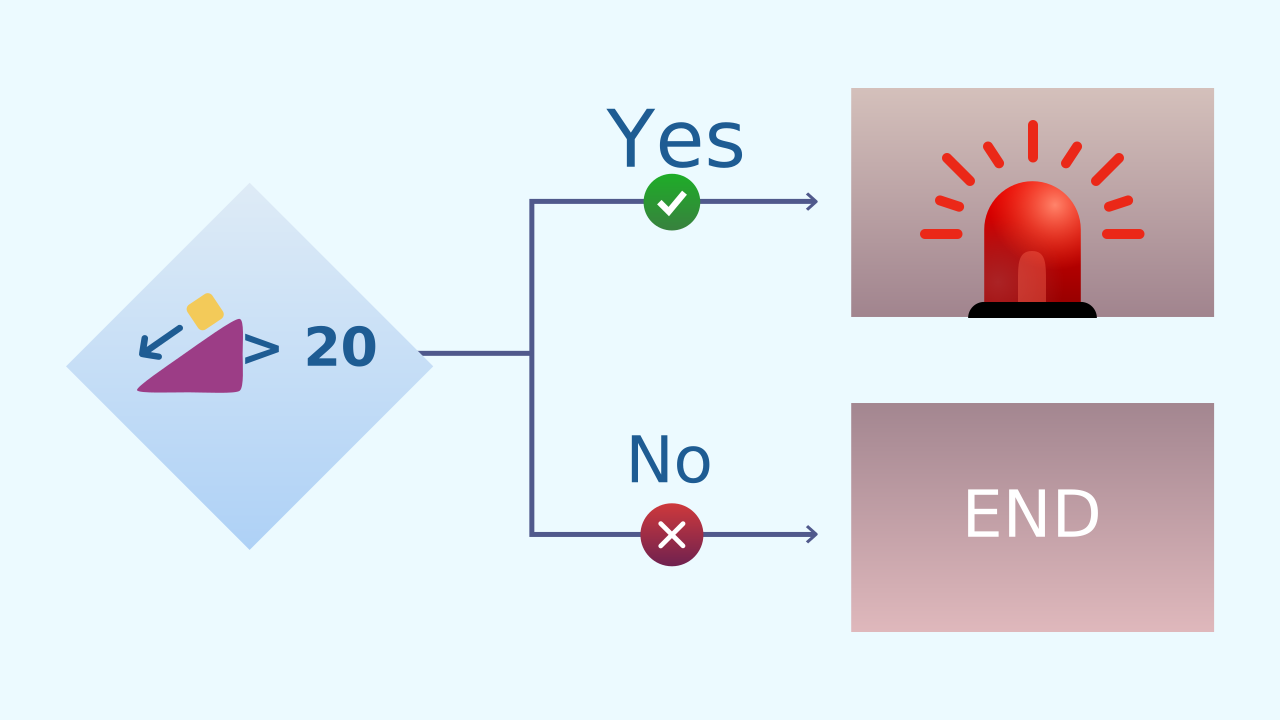
- The Condition (the question): Is the lid of the box (the device) tilted more than 20 degrees?
- If the answer is TRUE: Alert! Someone is opening the box. THEN, trigger the alarm sequence with lights and sound.
- If the answer is FALSE: Everything is fine. Do nothing and keep watching.
Create
Protect the cookies!
Physical Setup:
- Find a small box and put your "treasure" inside.
- Place your device, which is now an alarm, on top of the box so that it acts as the lid. The tilt sensor will detect the moment it is lifted.
Build the cardboard model— you will also need a couple of rubber bands to hold the phone against the cardboard
- We will need 3 components on our smartphone: Inclination to detect the lid being opened, LEDDraw for the alarm light, and AudioPlayer for the siren.
- Remember to scan all the ▣ QR codes on the same device.
We are ready to program the trap!
Code Composition
The main loop runs non-stop, acting like a night watchman. Inside it, the if block asks the key question on every cycle: is the inclination on X less than -20?. Most of the time the answer is 'no', and the code inside the if is skipped completely. But the moment you tilt the box, the condition becomes 'true', and only then does the alarm sequence inside it run.
Reflect
You have just programmed your very first decision. What is a conditional, and what is it for?
What is the "condition", the "true or false question", that your program is checking over and over?
The alarm's threshold is set to 20. What would happen if you changed it to 90? Would the alarm be more sensitive or less sensitive?