
Don't Spill the Liquid! - The Steady Hand Game
You've learned how to make decisions based on a single question. But what happens when a decision depends on several things at once? To log into an account, you need the right username AND the right password. In this mission, you'll put your steady hand to the test with a balancing game and learn to use the powerful "AND" logical operator to build complex conditions. Get ready to program a decision that takes twice the precision!

Level Intermediate
What will we do?
Are you a teacher?
Courses
- Grades 6-12
Materials
- Cell phone and computer
- Internet connection
- Cardboard, scissors and a couple of rubber bands to hold the phone against the cardboard
Description
This activity introduces students to compound conditionals through the "AND" logical operator. They will build a balancing game that requires two sensor conditions (tilt on the X axis and tilt on the Y axis transformed into LED positions) to be true at the same time in order to succeed. This teaches a more advanced and more realistic way of making decisions in programming.
Educational Objectives
- Understand and apply the "AND" logical operator.
- Build compound conditional statements that evaluate several conditions.
- Solve a problem that requires checking several inputs at the same time.
- Apply boolean logic to an interactive game scenario.
Start (10 minutes) - The Power of "AND"
- Welcome the class: "Today, our programs will learn to multitask when they make decisions. We are going to build a game that will test your steady hand and your concentration."
- Introduce the concept with an analogy: "To get into a high-security area, you might need a key card AND a retina scan. One of them alone is not enough, you need both. In programming, we use the 'AND' operator for these strict situations."
- Connect it to the game: "To avoid 'spilling the liquid' in our game, you'll have to keep your balance from left to right AND from front to back at the same time. Let's see how to program this double condition!"
Decisions with Multiple Requirements
In real life, a single question often isn't enough. For a self-driving car to move through an intersection, the light has to be green AND there must be no pedestrians crossing. To buy an item in a game, you need to have enough gold AND have room in your inventory. Life is full of decisions that depend on several factors that all have to be true at the same time.
The 'AND' Logical Operator
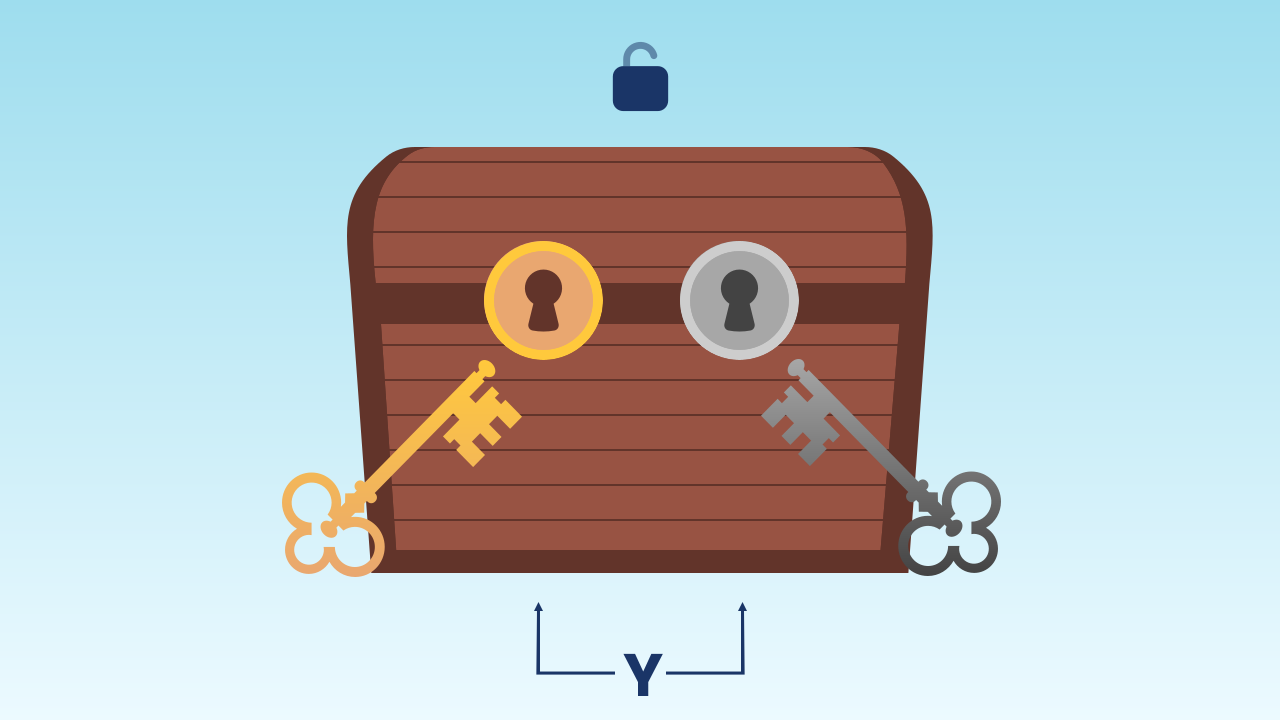
The "AND" operator is the tool we use to combine several questions. It's like a very strict security guard who asks for two forms of ID. He will only let you through if the first one is valid AND the second one is valid too. If either of the two fails, the whole condition counts as false. In boolean logic:
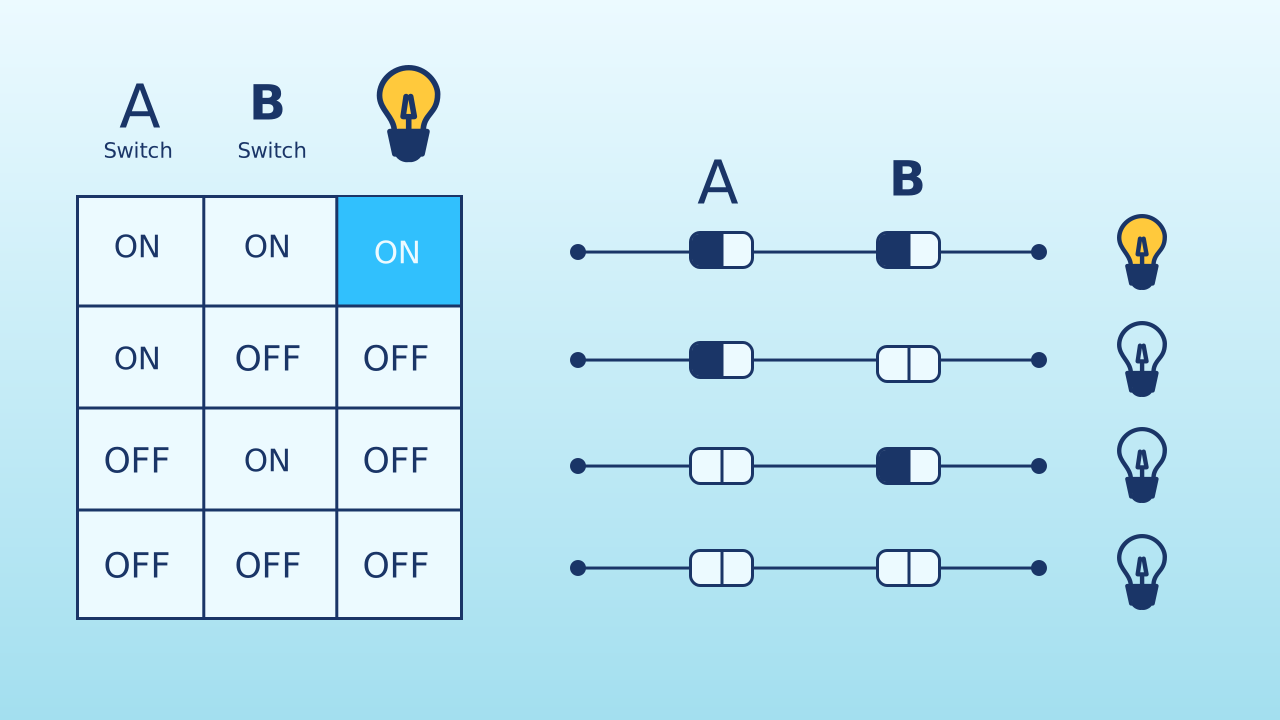
TRUEANDTRUE= TRUETRUEANDFALSE= FALSEFALSEANDTRUE= FALSEFALSEANDFALSE= FALSE
The Logic of Balance
For our game, the logic for staying in the "safe" zone is a compound condition:
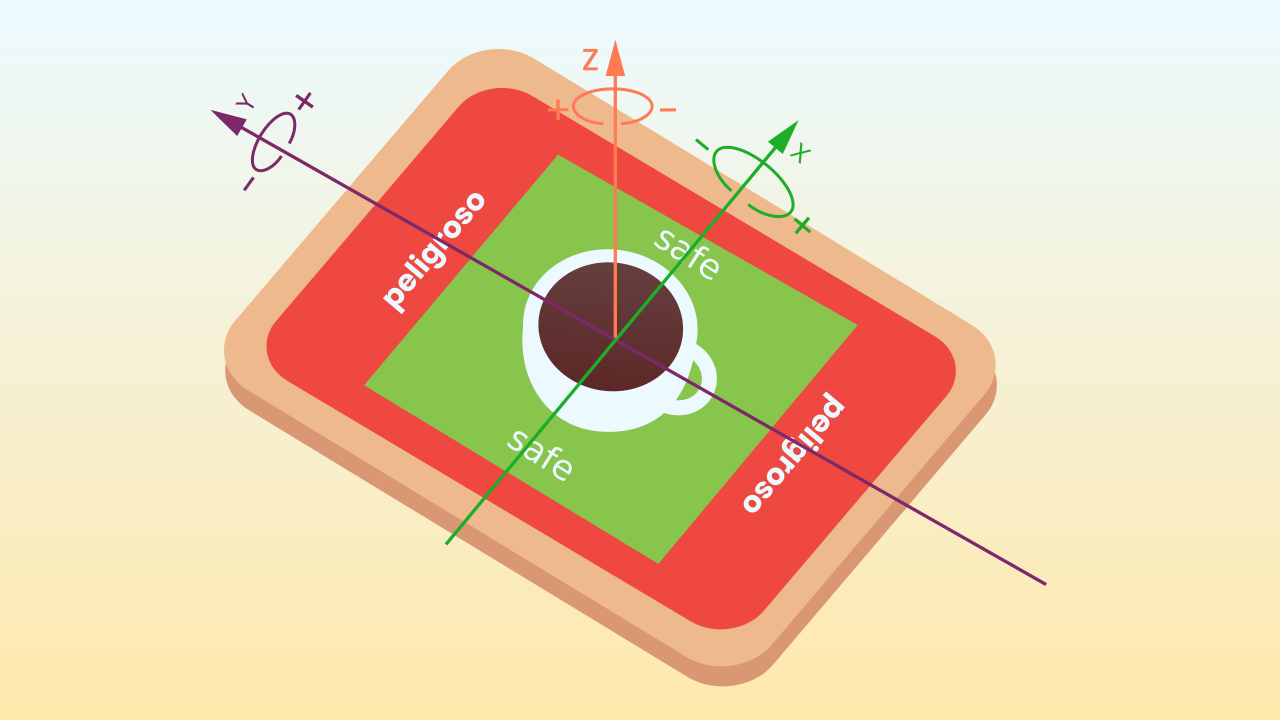
IF (the X tilt transformed into LED positions is between LEDs 3 and 5) AND (the Y tilt transformed into LED positions is between LEDs 3 and 5)
THEN... you're safe.
ELSE... alarm!
If you lean too far forward (the Y condition fails) or too far to the left (the X condition fails), the overall result of the "AND" will be FALSE and you'll lose your balance.
Development (20-30 minutes) - Programming the Balance
- Now that students understand why we need to check two things at once, it's time to build the game.
- Guide them through the instructions for creating the balancing game, paying special attention to how the 'AND' block is built by nesting the two conditions inside it, as detailed below. Encourage them to see just how hard it is to keep both conditions true at the same time.
Closing (7-10 minutes) - The Strict Logic of "AND"
- Once everyone is busy trying to beat the game, take a moment to reflect on the logic that drives it.
- Start the discussion: "Let's take our condition apart. If you keep a perfect balance from left to right, but you lean far forward, why does the alarm go off? Because the 'AND' operator is very strict. In what other real-life situations do two or more conditions have to be met at the same time?"
Reflect
What does the "AND" operator do? Why did we need it for this game instead of a simple "if"?
Describe a situation in which the alarm would go off. What values would ledX and ledY have to have for that to happen — and which way would you have to tilt the phone to make it happen?
If you wanted to make the game easier, would you widen or narrow the range of safe numbers (which is currently between 3 and 5)?
Decisions with Multiple Requirements
In real life, a single question often isn't enough. For a self-driving car to move through an intersection, the light has to be green AND there must be no pedestrians crossing. To buy an item in a game, you need to have enough gold AND have room in your inventory. Life is full of decisions that depend on several factors that all have to be true at the same time.
The 'AND' Logical Operator
The "AND" operator is the tool we use to combine several questions. It's like a very strict security guard who asks for two forms of ID. He will only let you through if the first one is valid AND the second one is valid too. If either of the two fails, the whole condition counts as false. In boolean logic:
TRUEANDTRUE= TRUETRUEANDFALSE= FALSEFALSEANDTRUE= FALSEFALSEANDFALSE= FALSE
The Logic of Balance
For our game, the logic for staying in the "safe" zone is a compound condition:
IF (the X tilt transformed into LED positions is between LEDs 3 and 5) AND (the Y tilt transformed into LED positions is between LEDs 3 and 5)
THEN... you're safe.
ELSE... alarm!
If you lean too far forward (the Y condition fails) or too far to the left (the X condition fails), the overall result of the "AND" will be FALSE and you'll lose your balance.
Create
Put your steady hand to the test!
Build the cardboard model— you will also need a couple of rubber bands to hold the phone against the cardboard
- We'll need 3 components on our smartphone: Inclination to measure the balance on both axes, LEDDraw for the visual indicator (the level 'bubble'), and MusicalKeyboard for the success and alert sounds.
- Remember to scan all the ▣ QR codes with the same device.
We're ready for the balancing challenge!
Code Composition
When the program starts, we set the shouldSoundAlarm variable to true. Then, in the repeat forever block, we set the variables xShifted and yShifted, which store the tilt values of the X and Y axes, respectively, shifted into a positive range: the X tilt is subtracted from 100, and 100 is added to the Y tilt. We also set the variables ledX and ledY, which tell the program at which position of the screen the LEDs should appear depending on how the device is tilted: in each one we store the matching shifted tilt variable multiplied by 7 (to scale it to the size of the LED screen), with that result then divided by 198, all of it placed inside the round up block. This makes sure the tilt of our phone always fits onto the LED screen.
Now comes the key to this code: we set the variables centeredX and centeredY, each of which checks two separate conditions. For example, centeredX checks whether ledX is on the third LED of the screen or further along and, at the same time, thanks to the and block, whether ledX is on the fifth LED or an earlier one: the result is that the centeredX variable will only be true if ledX is between LEDs 3 and 5. Something similar happens with the centeredY variable, only with ledY.
Then, inside the if block, you'll see an and block holding two separate conditions, one for the X axis and one for the Y axis. The program checks both of them on every cycle. Only if the two are true at the same time will the code for the green indicator run. Inside the green path there is also an if shouldSoundAlarm: it makes the success note play only once as you enter the zone (the flag switches to false), and the alarm branch sets it back to true, leaving it ready for the next time you recover your balance. The moment one of them fails, the whole and condition becomes false, and the program jumps straight to the else block to set off the alarm, where the LEDs are drawn in red along with sound effects telling you that the phone is off level.
Finally, one clarification: to plot the LED's position, the program draws the value of ledY on the X axis and the value of ledX on the Y axis. That's because the phone's tilt sensors originally count their values with the phone upright, but for this activity we use it lying flat, screen facing up, so we have to swap the axes.
Reflect
What does the "AND" operator do? Why did we need it for this game instead of a simple "if"?
Describe a situation in which the alarm would go off. What values would ledX and ledY have to have for that to happen — and which way would you have to tilt the phone to make it happen?
If you wanted to make the game easier, would you widen or narrow the range of safe numbers (which is currently between 3 and 5)?