
The DJ Metronome
You've mastered the pieces; now it's time to build a precision machine. In this advanced synthesis project, you'll go beyond simple pauses and implement professional timing logic. You'll combine sensor mapping with mathematical calculations to create a genuinely useful tool: a DJ metronome whose tempo you control with a movement of your hand. Get ready to feel the beat and code like a pro!
Level Advanced
What will we do?
Are you a teacher?
Courses
- Grades 9-12
Materials
- Cell phone, tablet, or computer
- Internet connection
- Cardboard, scissors and a couple of rubber bands to hold the phone against the cardboard
Description
This is an advanced synthesis project that challenges students to bring together several high-level concepts: sensor mapping, applying mathematical formulas, complex state management (keeping track of when the last event happened) and, most importantly, building a "non-blocking" timer out of variables and conditionals.
Educational Objectives
- Apply a mathematical formula to convert one kind of data into another (BPM into milliseconds).
- Implement non-blocking timing logic, a cornerstone of interactive programming.
- Synthesize the concepts of sensors, variables, loops, and conditionals to create a working tool.
- Understand how time is managed in applications that must stay responsive at every moment.
Start (10 minutes) - The Precise Beat
- Welcome the class: "Today we're going to build our most professional tool yet. But to do it, we need to solve one of the great problems of programming: time."
- Pose the problem: "We've used the
waitblock, but that 'freezes' the whole program. While it waits, it can't read sensors or do anything else. So how could a video game move the enemies while it waits for the player to act? It uses smarter timing logic." - Introduce the solution: "Instead of stopping, professional programs constantly ask themselves: 'Has enough time gone by for the next action?' Today we'll apply that technique to build a DJ metronome, a tool that needs perfect rhythmic precision and an instant response."
What is a Metronome?
A metronome is an essential tool for musicians. It produces a beat, or click, at a steady, adjustable speed to help them hold a stable tempo. That speed is measured in BPM (Beats Per Minute). A tempo of 60 BPM means exactly one beat every second.
The Problem with 'Wait'
Our first instinct might be to use a loop with a wait block. The trouble is that wait blocks the program. While it is paused, it can't do anything else: it can't read the tilt sensor to adjust the tempo, it can't update the screen, it can't respond to buttons. For a tool that has to stay smooth and responsive in real time, this method simply doesn't work.
Advanced Timing Logic (Non-Blocking)
Professionals use logic that never "freezes" the program. It works like a stopwatch in your hand:
- We store the exact moment the last beat happened in a variable (
lastBeat). - Inside a loop that runs very, very fast, we constantly work out how much time has gone by and store it under a name of its own:
elapsedTime = milliseconds − lastBeat. - IF that
elapsedTimeis greater than thebeatIntervalwe want —if (elapsedTime > beatInterval)— we know it's time for a new beat! - When the beat happens, the most important step is to update
lastBeatto the value ofmilliseconds, which effectively "resets" the stopwatch for the next beat.
The Math of the Beat
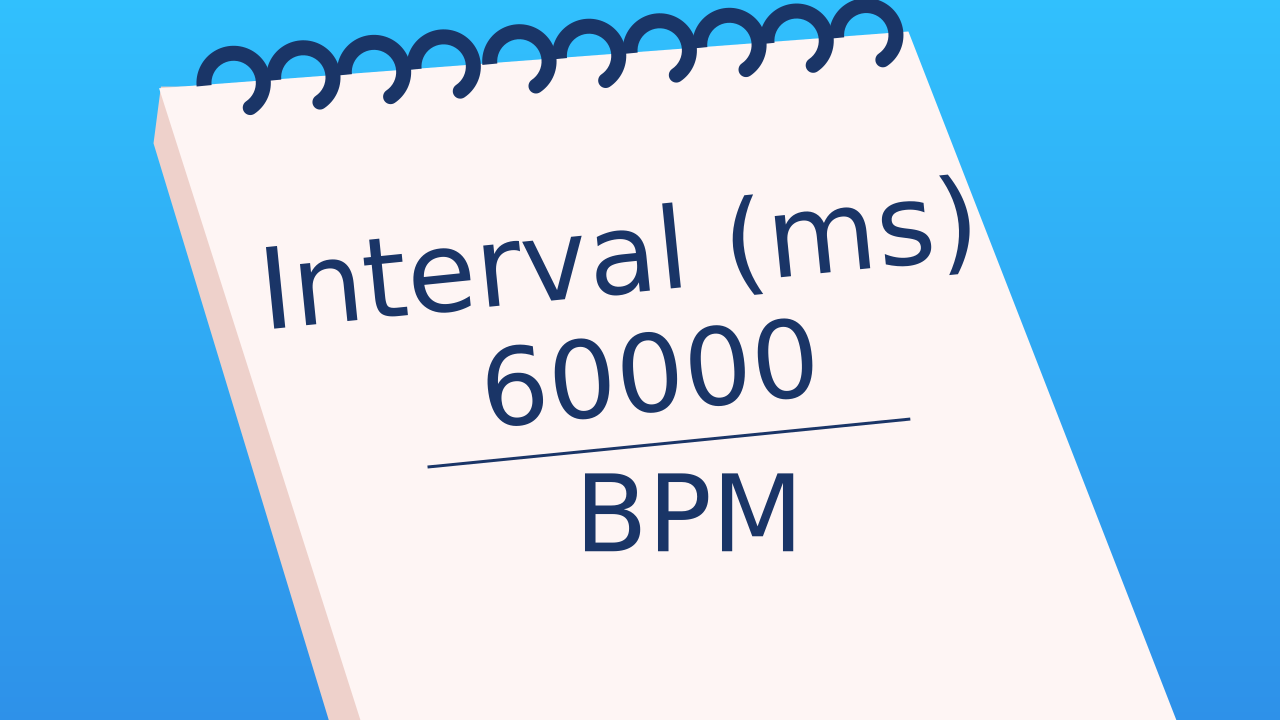
For our timing logic to work, we need to calculate the right interval from the BPM. The formula is simple. Knowing that there are 60 seconds in a minute and 1000 milliseconds in a second, there are 60,000 milliseconds in a minute.
Interval (in milliseconds) = 60000 / BPM
We'll use this formula to turn the tempo we read from the sensor into the exact gap our program needs.
Development (20-30 minutes) - Programming the Tempo
- This project is conceptually dense. Guide the students calmly through the logic.
- Help them build the metronome, paying special attention to the mathematical formula and to the two steps:
set elapsedTime to (milliseconds − lastBeat)andif (elapsedTime > beatInterval), as detailed below. This is the "heart" of the program.
Closing (5-10 minutes) - The Time Machine
- Once the metronomes are keeping the beat, it's time to take a look at the sophisticated machine the students have built.
- Ask the class: "Describe the flow of data and logic. How does a movement turn into a precise beat? Why is it absolutely crucial to update the
lastBeatvariable every time a beat sounds? What would happen if we forgot that step?" (The answer: after the first interval the beat would sound non-stop, because the condition would always be true).
Reflect
Explain in your own words why we use this timing logic with variables and milliseconds instead of a simple wait block.
The formula for the interval is 60000 / BPM. If the BPM is 60, what is the interval? And if the BPM is 120? Does the result of the math make sense in the real world?
What do you think would happen if you forgot to update the lastBeat variable inside the if block?
What is a Metronome?
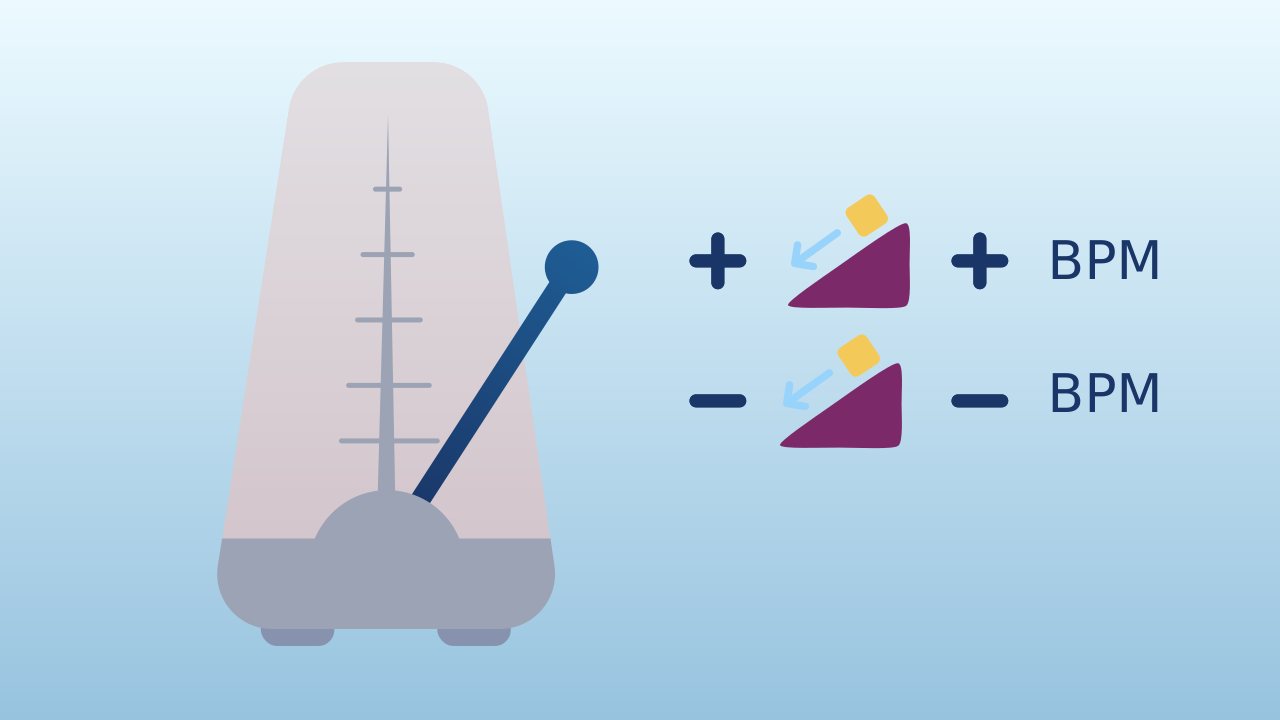
A metronome is an essential tool for musicians. It produces a beat, or click, at a steady, adjustable speed to help them hold a stable tempo. That speed is measured in BPM (Beats Per Minute). A tempo of 60 BPM means exactly one beat every second.
The Problem with 'Wait'
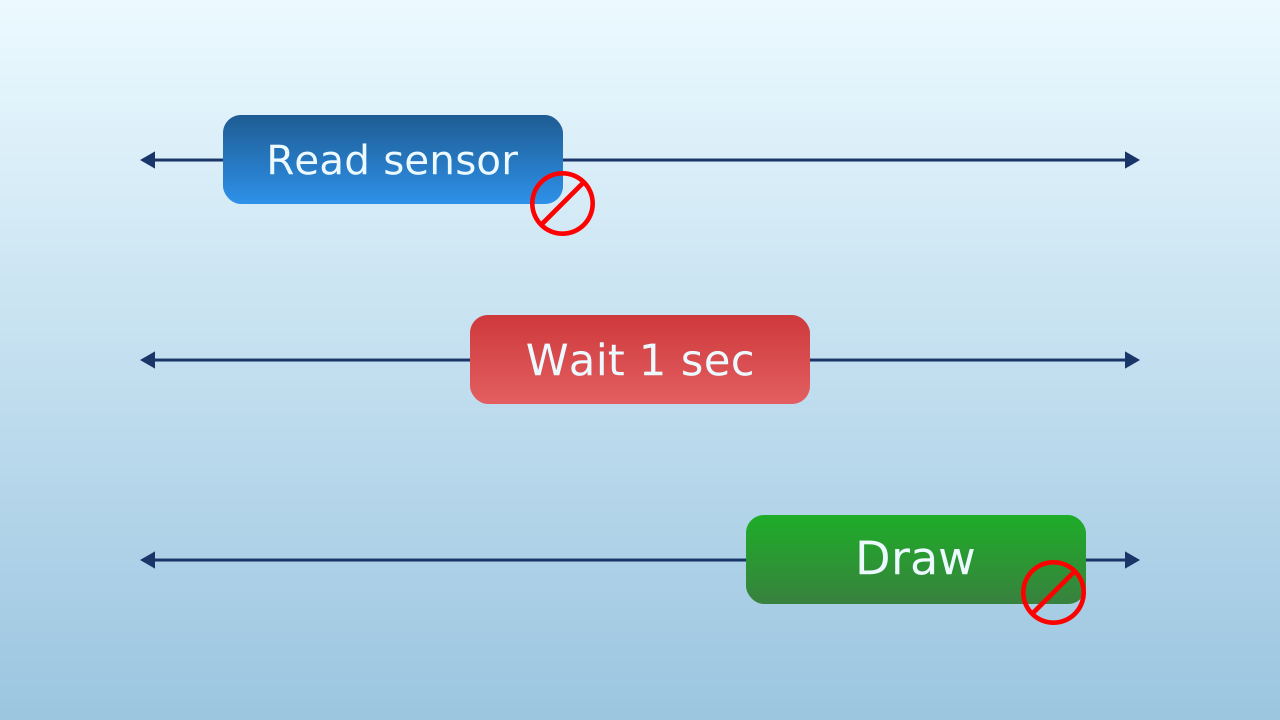
Our first instinct might be to use a loop with a wait block. The trouble is that wait blocks the program. While it is paused, it can't do anything else: it can't read the tilt sensor to adjust the tempo, it can't update the screen, it can't respond to buttons. For a tool that has to stay smooth and responsive in real time, this method simply doesn't work.
Advanced Timing Logic (Non-Blocking)
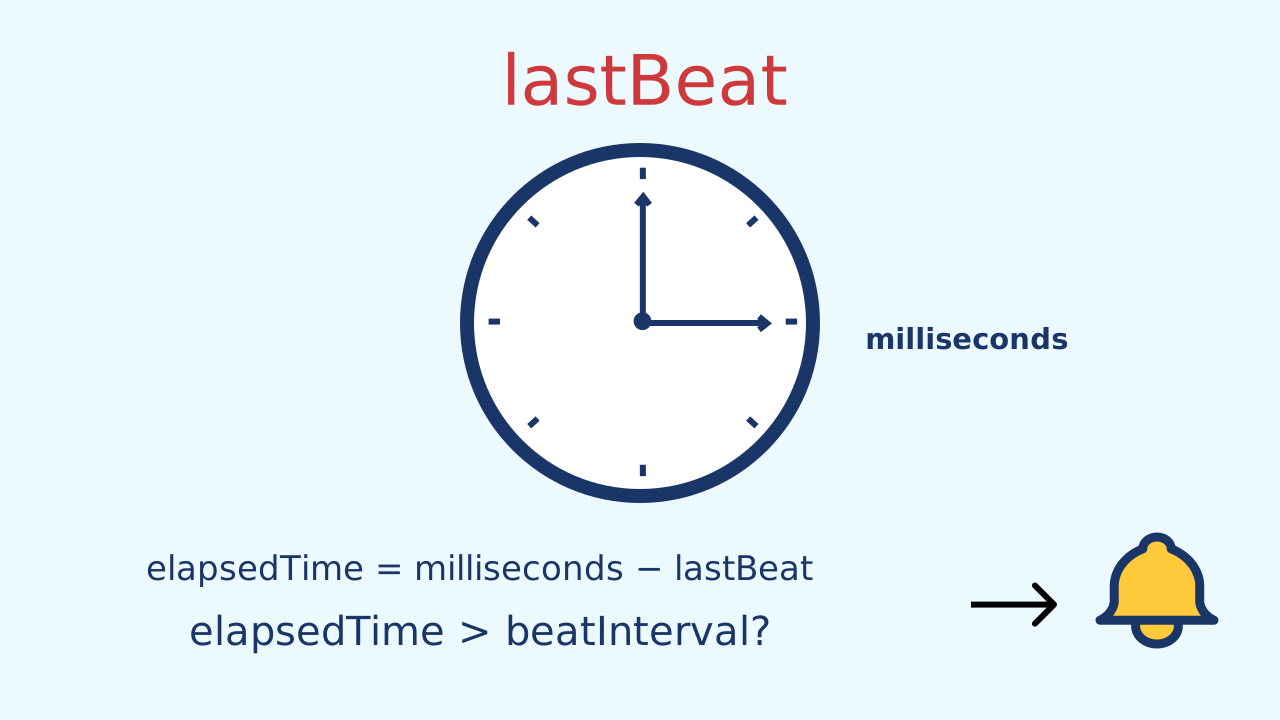
Professionals use logic that never "freezes" the program. It works like a stopwatch in your hand:
- We store the exact moment the last beat happened in a variable (
lastBeat). - Inside a loop that runs very, very fast, we constantly work out how much time has gone by and store it under a name of its own:
elapsedTime = milliseconds − lastBeat. - IF that
elapsedTimeis greater than thebeatIntervalwe want —if (elapsedTime > beatInterval)— we know it's time for a new beat! - When the beat happens, the most important step is to update
lastBeatto the value ofmilliseconds, which effectively "resets" the stopwatch for the next beat.
The Math of the Beat
For our timing logic to work, we need to calculate the right interval from the BPM. The formula is simple. Knowing that there are 60 seconds in a minute and 1000 milliseconds in a second, there are 60,000 milliseconds in a minute.
Interval (in milliseconds) = 60000 / BPM
We'll use this formula to turn the tempo we read from the sensor into the exact gap our program needs.
Create
Let's build the DJ metronome!
Build the cardboard model— you will also need a couple of rubber bands to hold the phone against the cardboard
- We'll need 2 components: Inclination to control the BPM and MusicalDrum for the sound of the beat.
- Remember to scan or open all the components.
We're ready to program the beat!
Code Composition
Inside the main loop, we first map the tilt to a range of bpm. From that bpm we calculate the beatInterval we need and, from the clock, the elapsedTime since the lastBeat. The if conditional is the brain of the metronome: it compares those two durations — elapsedTime > beatInterval. If enough time has gone by, it plays the sound and — the most important step — updates lastBeat to the current time so the cycle can start over.
Reflect
Explain in your own words why we use this timing logic with variables and milliseconds instead of a simple wait block.
The formula for the interval is 60000 / BPM. If the BPM is 60, what is the interval? And if the BPM is 120? Does the result of the math make sense in the real world?
What do you think would happen if you forgot to update the lastBeat variable inside the if block?