
The Heart of My Robot Friend
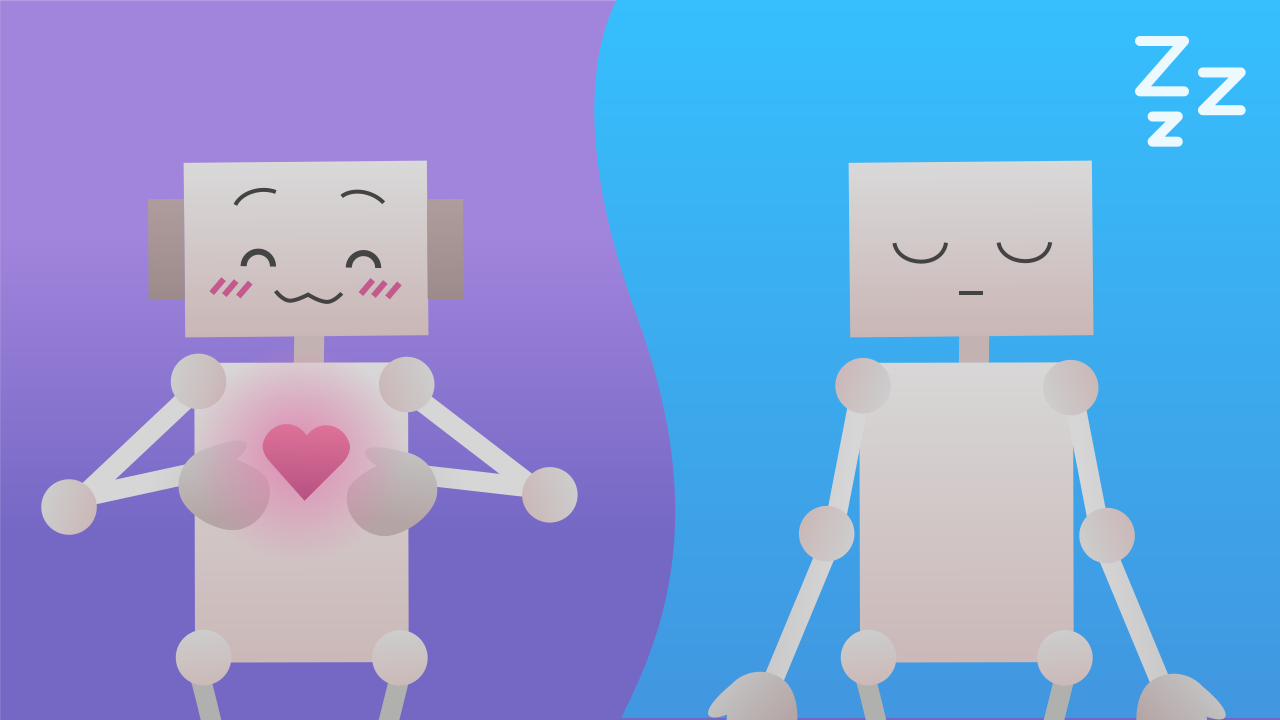
Mission accomplished! You've charged your robot with energy. Now it's time to use that power to unlock its most important feature: a beating heart! In this mission, you won't just build an animation, you'll give your robot a "mood". You'll learn to use state variables so that your robot's heart can switch from an "active" state to a "sleeping" one with nothing but a tilt of the device, changing its behavior in real time.
Level Basic
What will we do?
Are you a teacher?
Courses
- Grades 3-12
Materials
- Microbit/phone and computer
- Internet connection
- Cardboard, scissors and a couple of rubber bands to hold the phone against the cardboard
Description
This activity rounds off the introduction to variables and events by teaching the concept of "state variables". Students will see how events can modify variables that a main loop is constantly reading. This lets them observe how a user's action can dynamically change the core behavior of a running program.
Educational Objectives
- Understand the concept of a "state variable".
- Use events to modify the state of a program.
- Observe how a main loop can behave dynamically based on variables.
- Build a prototype with different operating "modes".
Start (10 minutes) - The "Moods" of a Program
- Welcome the students: "Congratulations, you've charged the robot! Now, what do we do with all that energy? We are going to install a heart. But not just any heart, one that can change its rhythm, as if it had moods."
- Introduce the new kind of variable: "Before, our variable only counted upwards. Now, our variables will describe the robot's current 'state'. For example, its heart will be in a 'calm' state or a 'racing' one. These are called state variables."
- Explain how it works: "We are going to program tilt events to change the robot's state, and we will watch its heart react instantly. It's like controlling its pulse with our own hands!"
State Variables: The "Mode" of the Program
Up to now, our variable was only good for counting. But a state variable is much more powerful. It doesn't just store a number, it describes the "mode" or "state" the program is currently in. Think of a video game character. It can be in the "walking", "running" or "jumping" state. In our case, our robot's heart can be in the "sleeping" state or the "awake" one. State variables are the memory that lets a program know how it should behave at any given moment.
The Pattern: Events That Control a Loop
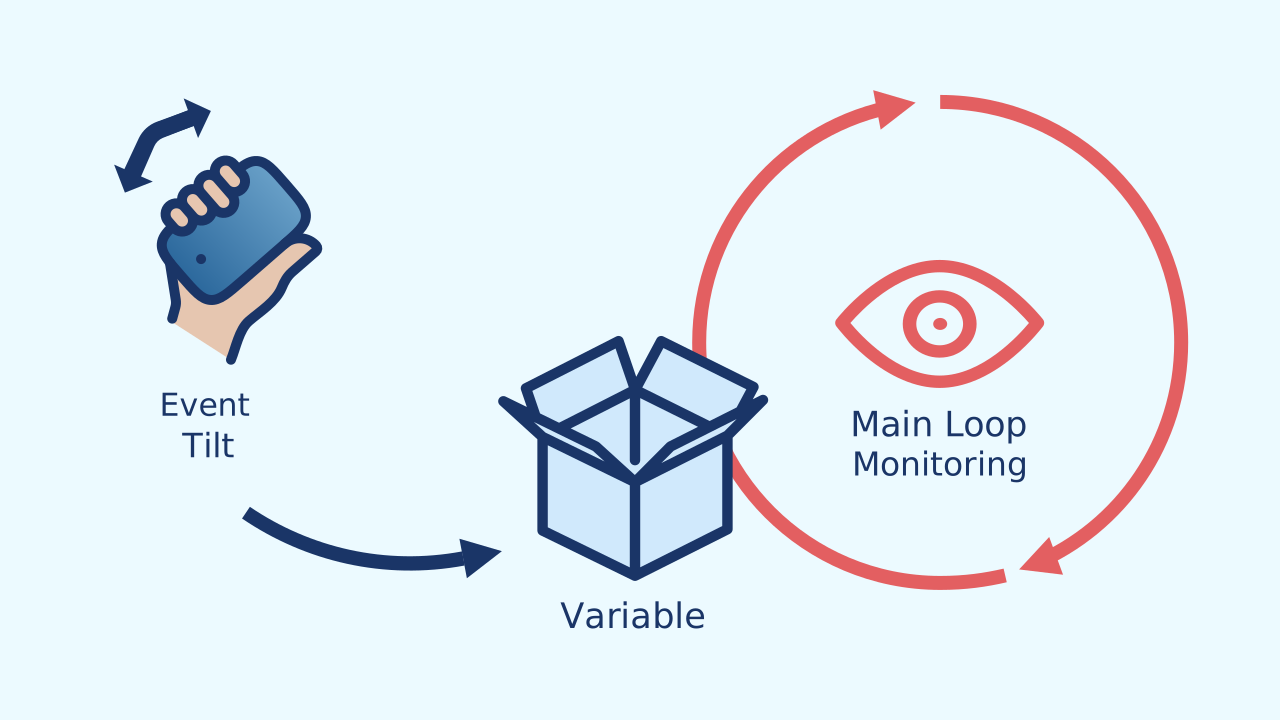
In this project, two parts of our code will work as a team without ever touching each other. They talk through the variables!
- The Main Loop: It's the engine. It takes care of the continuous action: animating the heart. But it doesn't decide the speed on its own; on every cycle it reads
longPauseandshortPauseto find out how long to wait between one drawing and the next. - The Events: They are the controls. They wait for an action from the user (tilting the device). When one happens, their only job is to write a new value into
longPauseandshortPause. The loop reads, the events write. The variables are the message they pass to each other.
Development (20-30 minutes) - Building the Dynamic Heart
- Now that they understand the difference between a counter and a state variable, it's time to put this advanced programming pattern into practice.
- Guide the students through the instructions for building the animated heart and the events that control its speed, as detailed below. It's key that they spot the indirect "conversation" between the events and the main loop.
Closing (5-10 minutes) - A Conversation Through Variables
- Once every heart is changing its rhythm, it's time to look closely at this powerful design pattern.
- Ask the class: "The main loop and the events are not connected directly. So how does the loop 'know' that it should speed up? How do they talk to each other?" The answer is: through the shared variables. Use the reflection section to lock in this fundamental idea.
Reflect
In this project, variables don't just count, they control behavior. What is a "state variable"?
Explain in your own words how the main loop and the event blocks talk to each other if they are not connected directly.
What other "states" could you give your robot? Maybe a "racing" state where the heart beats very, very fast, as if the robot were running?
State Variables: The "Mode" of the Program
Up to now, our variable was only good for counting. But a state variable is much more powerful. It doesn't just store a number, it describes the "mode" or "state" the program is currently in. Think of a video game character. It can be in the "walking", "running" or "jumping" state. In our case, our robot's heart can be in the "sleeping" state or the "awake" one. State variables are the memory that lets a program know how it should behave at any given moment.
The Pattern: Events That Control a Loop
In this project, two parts of our code will work as a team without ever touching each other. They talk through the variables!
- The Main Loop: It's the engine. It takes care of the continuous action: animating the heart. But it doesn't decide the speed on its own; on every cycle it reads
longPauseandshortPauseto find out how long to wait between one drawing and the next. - The Events: They are the controls. They wait for an action from the user (tilting the device). When one happens, their only job is to write a new value into
longPauseandshortPause. The loop reads, the events write. The variables are the message they pass to each other.
Create
Let's give our robot a heart!
Build the cardboard model— you will also need a couple of rubber bands to hold the phone against the cardboard
- Press ✙ Add Device and select LEDDraw for the heart animation.
- Also add the MusicalDrum component for the heartbeat sound.
- Finally, add Inclination to detect the gestures that will change the state.
We are ready to bring our friend to life!
Code Composition
When the program starts, we set longPause and shortPause to the "calm" rhythm. Careful: these variables don't store a speed but milliseconds of waiting — the longer the wait, the slower the heart beats. The main loop constantly uses these variables to define the pauses in the animation. The two tilt event blocks listen in the background. When you tilt the phone onto its side, the matching event changes the numbers in the variables to smaller values, making the loop (which is always reading them) speed up. The heart races! When you lay the phone flat again, the other event restores the normal speed. And one important detail: the calm rhythm appears twice — in When the program starts and in the gesture that brings the calm back. If you change one, change the other too, or the gesture will undo your adjustment.
Reflect
In this project, variables don't just count, they control behavior. What is a "state variable"?
Explain in your own words how the main loop and the event blocks talk to each other if they are not connected directly.
What other "states" could you give your robot? Maybe a "racing" state where the heart beats very, very fast, as if the robot were running?