
The Robot Activation Challenge!
Your programs already know how to react, but they don't remember a thing! What if we wanted to count how many times the screen has been tapped? For that, our program needs a memory. In this mission, you will discover one of the most powerful ideas in programming: variables. You will learn to use them to build a fun challenge in which you have to charge your robot with "energy" by tapping the screen. Get ready, because your programs are about to start remembering!
Level Basic
What will we do?
Are you a teacher?
Courses
- Grades 3-12
Materials
- Microbit/phone and computer
- Internet connection
- Cardboard, scissors and a couple of rubber bands to hold the phone against the cardboard
Description
This activity introduces the fundamental concept of variables as the program's "memory". Students will work with events and add memory to them. Instead of an event only triggering an animation, they will now learn how an event can modify a stored piece of data (a counter variable), creating a program that keeps track of a state over time.
Educational Objectives
- Understand the concept of a variable as a container for storing data.
- Use an event to modify the value of a variable.
- Create an interactive program that keeps count of the user's actions.
- Understand the difference between a program with no state and one with a "memory".
Start (10 minutes) - The Program's Memory
- Welcome the students and pose the problem: "A program that only reacts always responds the same way. How could we make the robot remember how many times we have tapped it?"
- Introduce the solution: "For that, programs need a memory. In programming, that memory is called a 'variable'. Think of it as the scoreboard at a basketball game. It isn't an animation, it's a place where we keep a number that changes over time."
- Present the challenge: "Today, our robot needs energy. We are going to create a variable called 'energy' and race to see who can charge it up to 7 first by tapping the screen."
Why Do Programs Need a Memory?
A program that only reacts always responds in exactly the same way: it can't "remember" how many times you have tapped it. To build smarter programs that can change the way they behave, we need a way to store information. We need to give them a memory.
Variables: The Memory Boxes of Code
In programming, that memory is called a variable. Think of a variable as a box with a label on it.
- The label is the name of the variable (for example,
energy). - The contents are the data we keep inside (for example, the number
25). The most powerful part is that the contents of the box can change at any moment. We can open it, add 1 to the number, and store the new result.
Events That Change the Memory
Now we can put these two ideas together. We are going to use an event (tapping a button) not only to trigger an animation, but to change what is inside our variable.
Every time you tap the chosen button, the event fires and gives the program an order: "Open the box called energy, look at the number inside, add 1 to it, and store the new total back in the same box". That is how our program "remembers" and keeps count.
Development (20-30 minutes) - Building the Energy Counter
- Now that the students understand that a variable is like a scoreboard, it's time to build the game.
- Guide them through the instructions for creating the variable and the event that modifies it, as detailed below. This is their first step towards programs that don't just react, but also evolve.
Closing (5-10 minutes) - The Power of Remembering
- Once everyone has "charged" their robot, it's time to reflect on the new superpower they have just learned.
- Ask the class: "What is the 'memory' in our program? What action makes that memory change? Now that our robot can count, what smarter things could we do with it?" Use the reflection section to lock in the concept.
Reflect
You have just given a program a "memory" for the very first time. What is a variable, and what did we use it for in this challenge?
What role does the event play in this code? Does it trigger an animation, or does it do something more?
If you wanted every tap to add 5 points of energy instead of 1, which block would you change?
Why Do Programs Need a Memory?
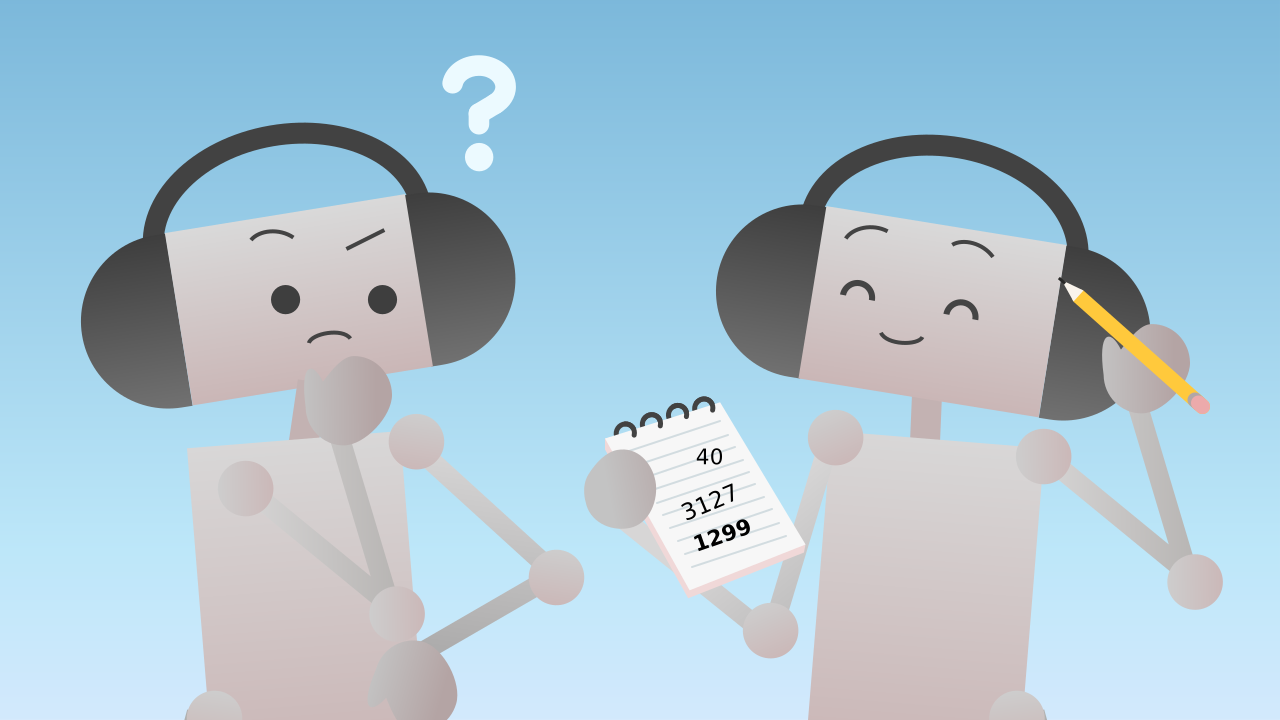
A program that only reacts always responds in exactly the same way: it can't "remember" how many times you have tapped it. To build smarter programs that can change the way they behave, we need a way to store information. We need to give them a memory.
Variables: The Memory Boxes of Code
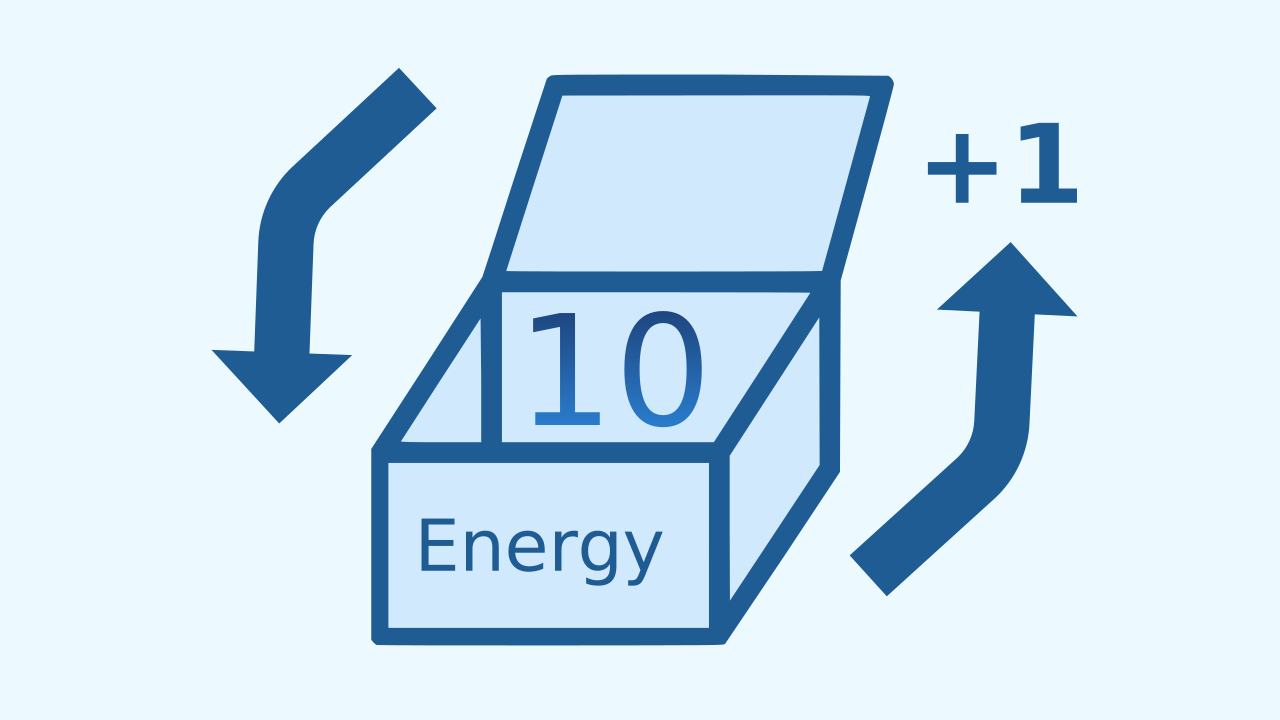
In programming, that memory is called a variable. Think of a variable as a box with a label on it.
- The label is the name of the variable (for example,
energy). - The contents are the data we keep inside (for example, the number
25). The most powerful part is that the contents of the box can change at any moment. We can open it, add 1 to the number, and store the new result.
Events That Change the Memory
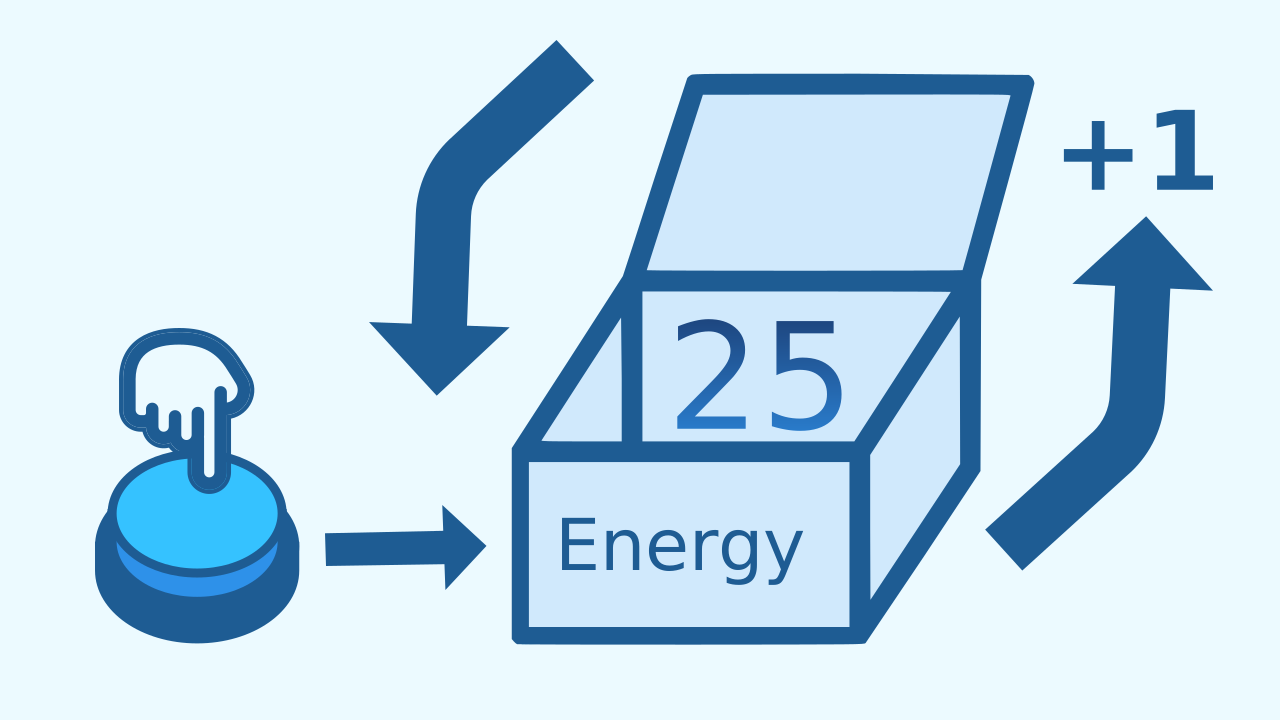
Now we can put these two ideas together. We are going to use an event (tapping a button) not only to trigger an animation, but to change what is inside our variable.
Every time you tap the chosen button, the event fires and gives the program an order: "Open the box called energy, look at the number inside, add 1 to it, and store the new total back in the same box". That is how our program "remembers" and keeps count.
Create
Let's charge the robot up with energy!
Build the cardboard model— you will also need a couple of rubber bands to hold the phone against the cardboard
- Press ✙ Add Device and select TouchButton. This will be our energy 'charger'.
- Press ✙ Add Device again and select LEDDraw so we can see the energy level on the screen.
- Finally, press ✙ Add Device and select AudioPlayer so we know when the robot has been activated.
- Remember to scan or open all the components.
We're ready for the activation challenge!
Code Composition
Click on the question mark to see the comments. First, in when the program starts, we create our energy variable and set it to 0. That is our starting point. Then the when ... is touched event block fires with every tap. Inside it, the change energy by 1 block updates our "memory". All of this lives inside repeat forever. Inside the if block, as long as the energy is less than 7, each pass lights up a single line — the one matching the current energy — and since nothing inside that branch ever gets erased, the earlier lines stay lit: that is why you see the bar grow. (The bar climbs six steps: the seventh tap doesn't draw the last one, it jumps straight to the celebration.) Otherwise, the robot activates: the bar is cleared, a happy face appears and the celebration sound plays — and since everything lives inside the loop, the celebration repeats until you restart the program.
Reflect
You have just given a program a "memory" for the very first time. What is a variable, and what did we use it for in this challenge?
What role does the event play in this code? Does it trigger an animation, or does it do something more?
If you wanted every tap to add 5 points of energy instead of 1, which block would you change?